Version control records changes to project files so you can compare versions and recover earlier work. Git is a tool for doing this. GitHub is a platform that hosts Git repositories and adds collaboration tools, such as pull requests and code review. You can use Git without GitHub.
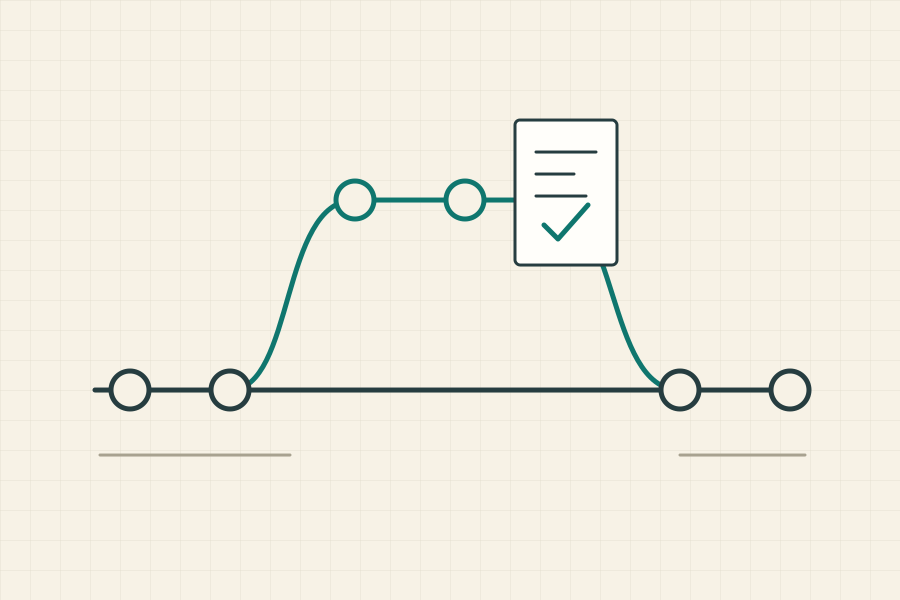
A short-lived branch lets you prepare a small change. Review and checks help decide whether to merge it into the shared code; merging does not itself mean the application is deployed.
A repository and a commit
A repository contains a project's files and their recorded history. A commit records a snapshot with an identifier and a message explaining the change. Saving a file in your editor changes your working copy; creating a commit records that work in Git.
For example, you fix a checkout calculation and add a test for the expected total. Recording those related edits together makes the change easier to review and trace later.
A branch, a pull request, and a merge
A branch is a line of development that lets you work separately from the shared main branch, often named main. Pushing sends your local commits to a remote repository, such as one hosted on GitHub.
A pull request proposes bringing changes from one branch into another. Reviewers compare the edits, ask questions, and check the test results. A merge combines the histories. Keep changes small and branches short-lived so review and integration stay manageable.
Shared code is only the beginning
A merged checkout fix is now part of the shared code. A separate delivery process must still verify it, prepare a runnable version, and deploy it. Some teams automate that process after a merge; others require approval.
Restoring code in Git does not undo orders already placed or data already changed. Next, separate the places where you experiment from the one serving real customers.